
AI-powered task management
Stop managing tasks. Start getting them done.
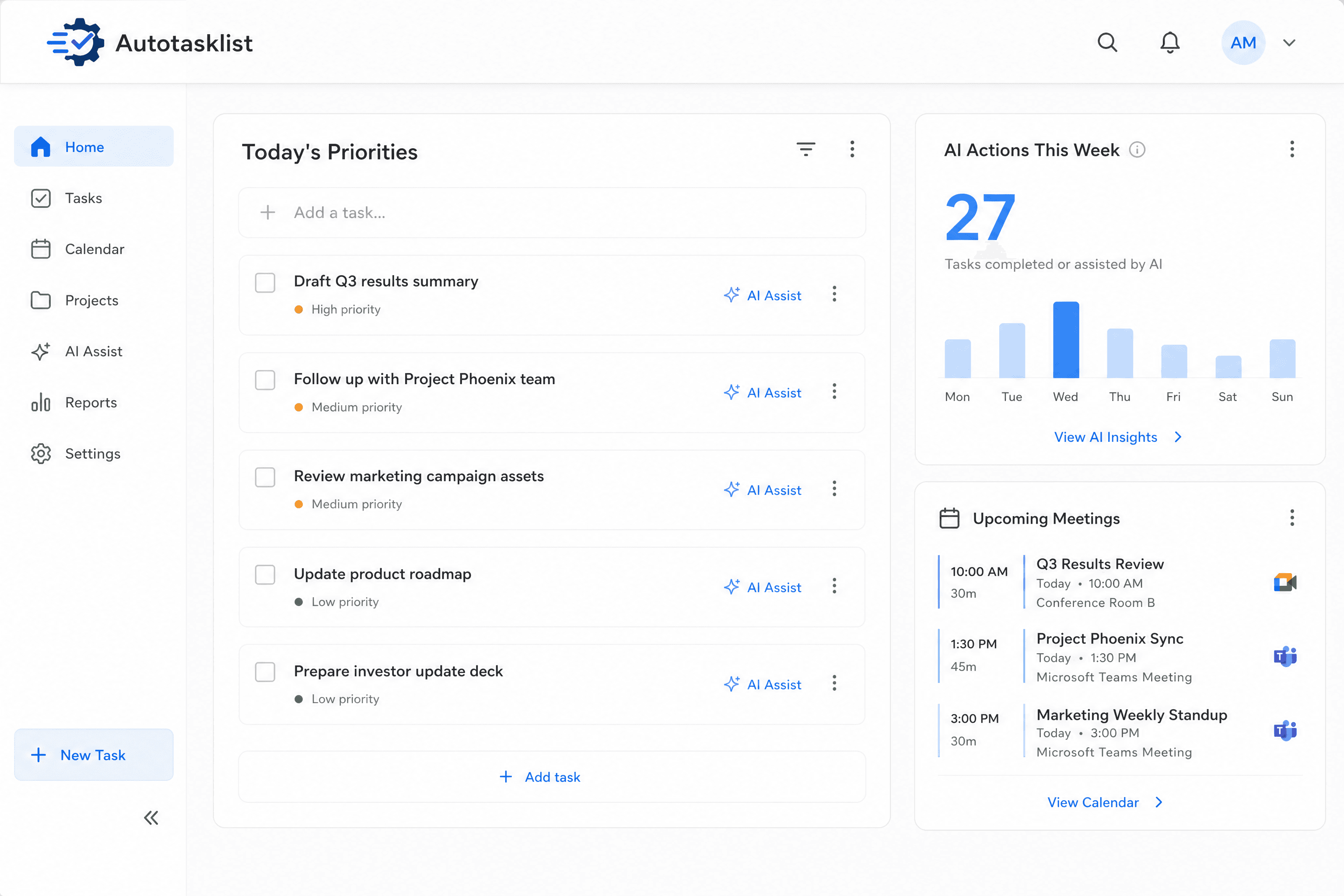
Autotasklist is the intelligent task manager that uses AI to not only create and prioritize your to-do list, but to actively complete tasks for you. Reclaim your focus and let automation handle the busywork.
Set up in minutes · Cancel anytime
Built for
The problem with traditional to-do lists
Your to-do list is another chore
Manually typing out every task, organizing lists, and setting reminders takes time away from actual work.
Important tasks get buried
Urgent but low-value items constantly crowd out what truly matters, leaving you feeling busy but not productive.
Context switching kills your flow
Jumping between your email, calendar, and task manager to figure out what's next is a constant drain on your energy and focus.
How it works
Connect Your Tools
Securely link your email, calendar, and project management apps in seconds. Autotasklist scans for action items and commitments.
Get Your AI-Generated List
Your personal AI agent builds a prioritized to-do list based on urgency, deadlines, and your stated goals. No manual entry required.
Approve & Delegate to AI
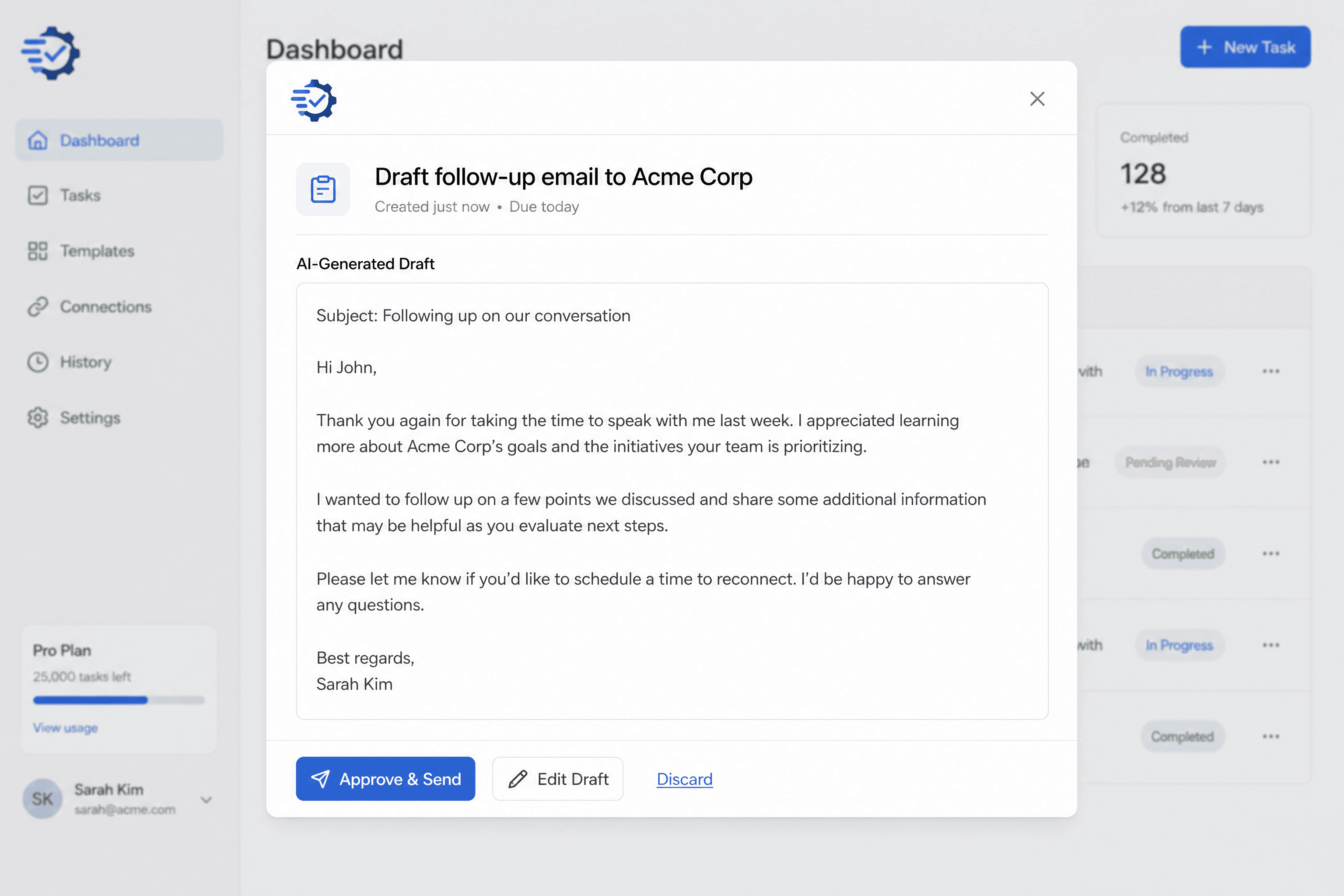
For common digital tasks—like drafting emails, scheduling meetings, or summarizing documents—simply approve the AI's plan. Autotasklist completes the work and marks it done.
Delegate digital tasks to your AI agent
It can draft emails, find available meeting times, generate summaries, and perform research, presenting the results for your one-click approval.
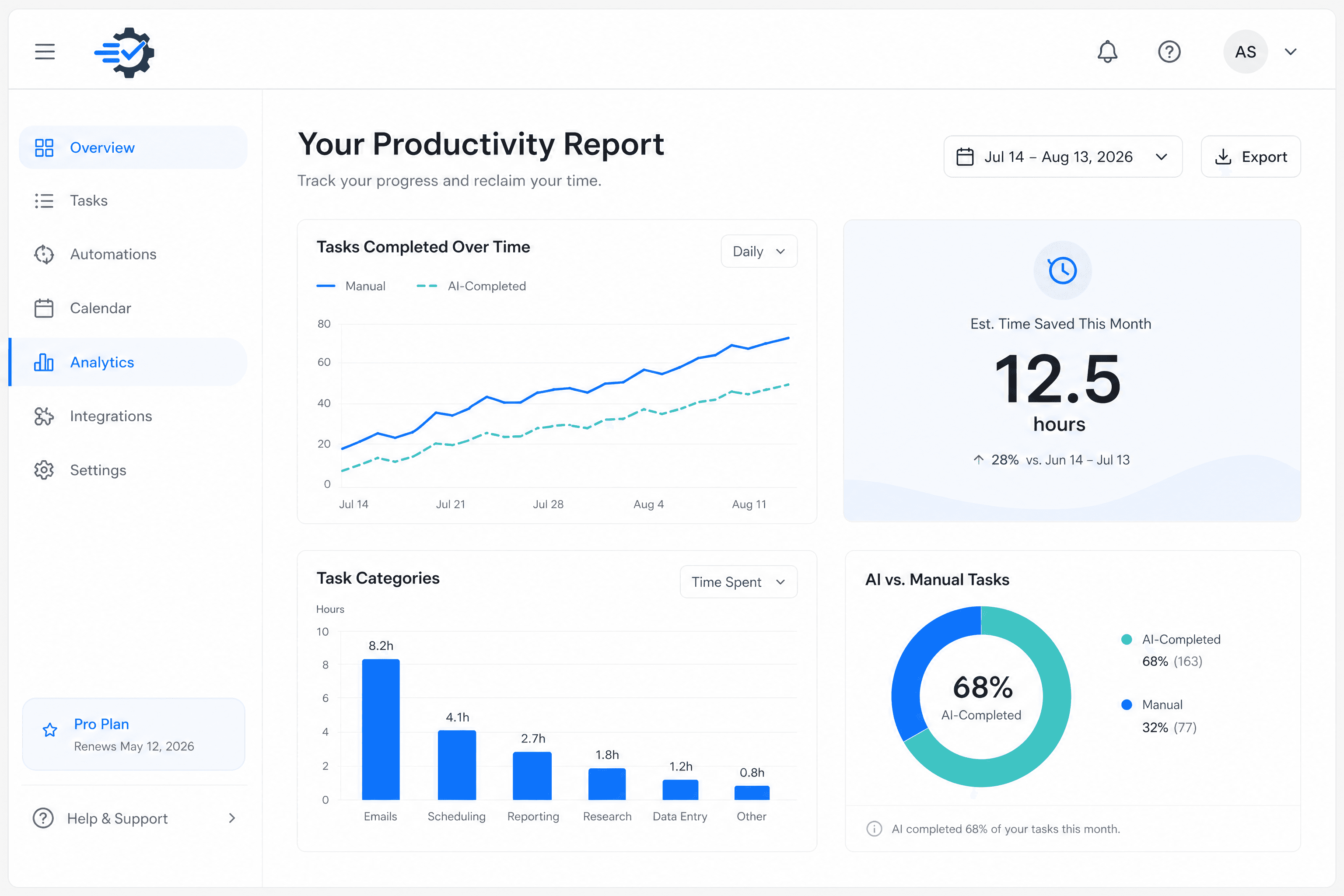
Understand where your time goes
Visualize your progress with a dashboard that tracks tasks completed, time saved by AI delegation, and overall productivity trends. See how automation is helping you focus on what matters.
Everything you need to stay focused
Intelligent Task Generation
Never manually create a to-do item again. Autotasklist automatically detects action items from your connected apps like Gmail, Outlook, and Slack and adds them to your list.
Dynamic Prioritization Engine
Our AI constantly analyzes your tasks, deadlines, and goals to build a dynamic, prioritized list that shows you exactly what to focus on next.
Seamless Integrations
Connects with the tools you already use. Integrates with Google Calendar, Microsoft 365, Slack, and more to create a single, unified view of your work.
Natural Language Commands
Simply tell Autotasklist what's on your mind. Add tasks, set goals, or ask for updates using plain, conversational language.
Autotasklist vs. the status quo
Spreadsheets and manual task lists weren't built for the pace of modern work.
Simple, transparent pricing
Start free, then upgrade when you're ready. Pro plans from $24/mo per seat.
Frequently asked questions
How does Autotasklist actually complete tasks?
Is my data secure?
What kind of tasks can the AI handle?
Can I manage the AI's permissions?
Is there a free trial?
How do I cancel my subscription?
What integrations are currently supported?
Ready to reclaim your focus?
Join Autotasklist and let AI handle the busywork while you do what matters.
Set up in minutes · Cancel anytime